 Skip to content


If you run a retail business, you have probably seen the Boost Post button on Facebook or Instagram. It offers a quick way to promote an existing post and reach more people beyond your current followers.
But there is another option: Meta Ads Manager.
Both methods allow businesses to advertise on Meta platforms, but they offer different levels of control, campaign setup, targeting, and performance measurement. Before choosing an advertising method, understand how Meta Ads and social media can support retail business growth.
This creates a common question for retailers: should you simply boost your posts or use Meta Ads Manager to run advertising campaigns?
The answer depends on what you want to achieve. If your goal is to increase visibility for an announcement or popular product post, boosting may be enough. If you want to generate enquiries, drive website purchases, or manage a structured advertising strategy, Ads Manager generally provides more flexibility.
In this guide, we compare boosted posts vs Ads Manager and explain when retailers should use each option.
Understand What a Boosted Post Is
A boosted post is an existing Facebook or Instagram post that you pay to promote to a wider audience.
Instead of building a complete advertising campaign, you select a published post, choose a few basic settings, set a budget, and start promoting it.
For example, a Lahore clothing boutique might publish a Reel showing its latest collection. If the Reel receives good engagement, the business can boost it to reach more people in selected locations.
Boosting is designed to make promotion relatively straightforward.
What can retailers promote?
Depending on the post format and available platform options, you may be able to boost:
- Product photographs.
- Promotional announcements.
- Instagram Reels.
- Facebook videos.
- New collection posts.
- Event announcements.
- Seasonal offers.
What does boosting help achieve?
Boosted posts can help businesses:
- Increase content reach.
- Get more post engagement.
- Introduce products to a wider audience.
- Promote announcements.
- Increase visibility for selected content.
However, a boosted post does not automatically become a sales-focused advertising campaign.
The available goals and settings are more limited than those available through Ads Manager. You should also check the specific options shown in your account, as available features can vary by placement, account, and post format.
Understand What Meta Ads Manager Does
Meta Ads Manager is Meta’s advertising platform for creating, managing, and measuring advertising campaigns across supported Meta placements.
Unlike the simple Boost button, Ads Manager provides more control over campaign structure and advertising settings.
Retailers can use it to plan campaigns around specific business objectives, select audiences, manage budgets, test different creatives, and analyse performance.
For example, an online cosmetics store in Pakistan might create a campaign to promote a product collection, send relevant visitors to its website, and measure purchases through properly configured tracking.
A physical retail store might use advertising to generate enquiries or promote a location-based offer.
What can retailers do with Ads Manager?
Depending on the campaign objective and available features, Ads Manager allows businesses to:
- Choose from available campaign objectives.
- Create campaign, ad set, and ad structures.
- Configure audience targeting.
- Manage placements.
- Set campaign budgets and schedules.
- Test different creatives and messages.
- Use supported conversion tracking.
- Review campaign-level and ad-level performance.
This makes Ads Manager more suitable for businesses that need greater control over their advertising activities.
Boosted Posts vs Meta Ads Manager: Key Differences
Both methods can promote your business, but they are designed for different levels of advertising management.
Here is a practical comparison.

| Feature | Boosted Posts | Meta Ads Manager |
|---|---|---|
| Setup | Simple and quick | More detailed setup |
| Campaign objectives | More limited promotion goals | Broader selection of objectives |
| Audience targeting | Basic targeting options | More advanced audience controls |
| Placements | More limited control | Greater placement control |
| Campaign structure | Simplified | Campaign, ad set, and ad levels |
| Creative testing | Limited options | More flexible testing |
| Conversion tracking | More limited campaign setup | More detailed tracking options |
| Reporting | Simpler performance overview | More detailed campaign reporting |
| Best suited for | Quick content promotion | Structured advertising campaigns |
The important distinction is not that one method is always better. It is that each method offers a different level of control.
A retailer should choose based on the business result they want to achieve.
Compare Campaign Objectives
One of the biggest differences between boosted posts and Ads Manager is the level of control over campaign objectives.
Your advertising objective influences the type of action Meta aims to generate from your campaign.
Boosted post objectives
Boosting generally focuses on straightforward promotional goals, such as:
- Increasing engagement.
- Reaching more people.
- Encouraging profile activity.
- Generating messages or other available actions.
The exact options depend on the platform, post type, and account setup.
This can be useful when you want to promote an existing post without creating a detailed campaign.
Meta Ads Manager objectives
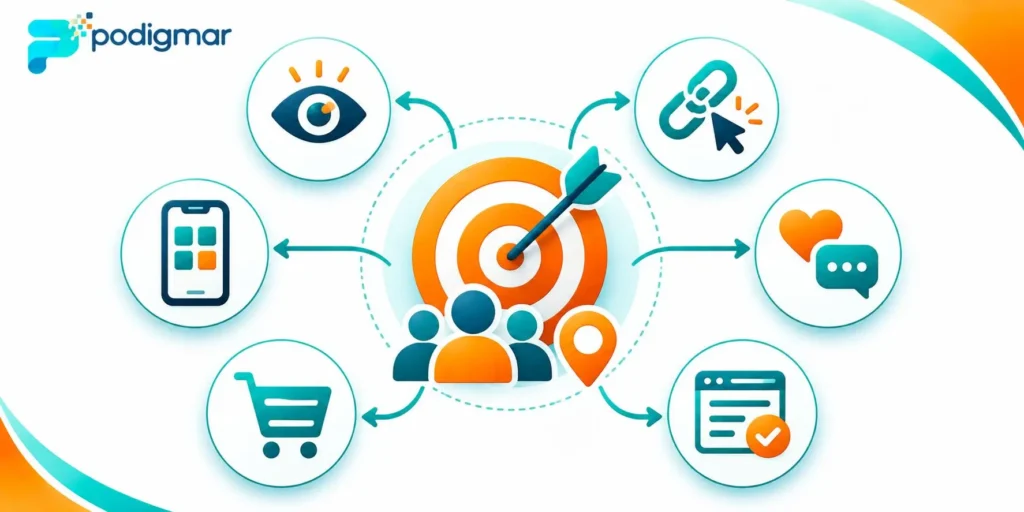
Ads Manager offers campaign objectives across several business goals, including:
- Awareness: Help more relevant people discover your business.
- Traffic: Encourage people to visit a destination, such as a website or landing page.
- Engagement: Encourage interactions, messages, or other supported engagement actions.
- Leads: Generate potential customer enquiries.
- App promotion: Encourage app-related actions.
- Sales: Encourage purchases or other conversion actions.
The available optimisation options depend on the selected objective, campaign setup, account, and destination. If your campaigns are generating clicks but not purchases, learn why your Meta Ads get clicks but no sales.
Which objective should retailers choose?
Consider the result you actually need.
| Retail Business Goal | Suitable Advertising Approach |
|---|---|
| Promote a new product announcement | Boosted post or Awareness campaign |
| Increase visibility for a popular Reel | Boosted post or Awareness campaign |
| Generate customer enquiries | Ads Manager with a suitable Leads or Engagement setup |
| Drive website traffic | Ads Manager with Traffic objective |
| Generate website purchases | Ads Manager with Sales objective and appropriate tracking |
| Promote a seasonal collection | Ads Manager campaign or boosted content, depending on the goal |
| Test product-related creative | Ads Manager provides more testing flexibility |
Do not choose an objective simply because it sounds attractive. Select the one that matches the action you want potential customers to take.
For example, a campaign optimised for engagement is not automatically designed to maximise purchases.
Compare Audience Targeting Options
Reaching the right people is essential for retail advertising.
A clothing retailer does not necessarily need to reach everyone in Lahore. It needs to reach people who are relevant to its products, location, pricing, and customer profile.
Targeting with boosted posts
Boosting offers a simpler way to select an audience.
Depending on the available options, you may be able to use:
- Suggested audiences.
- Location-based targeting.
- Age and gender settings.
- Selected interests.
- Other available audience options.
This can be sufficient for a straightforward local promotion.
However, the simplified setup may not provide the level of audience control required for a more complex campaign.
Targeting with Ads Manager
Ads Manager provides more flexibility for audience planning.
Depending on eligibility and account features, retailers can work with:
- Location targeting.
- Demographic controls.
- Interest-based audience options.
- Custom Audiences.
- Website visitor audiences.
- Customer lists, where permitted.
- Engagement-based audiences.
- Lookalike Audiences, where available.
For example, an online fashion store could create a campaign for relevant new customers and another campaign for eligible people who previously interacted with its business.
Audience availability and targeting restrictions vary. Some detailed targeting options may be unavailable or restricted, so always review the current settings in your account.
What should retailers do?
Start with the customers most relevant to your products.
If you operate a physical shop, consider realistic travel distances and the areas your existing customers come from.
If you sell online, consider delivery coverage, product demand, and the types of customers who are most likely to purchase.
More targeting options do not automatically produce better results. Your audience should be relevant, large enough for the campaign, and aligned with the objective.
Understand Budget and Cost Differences
Both boosted posts and Ads Manager require advertising spend.
However, the way you manage and allocate your budget can differ.
Boosted post budgeting
Boosting usually offers a simple budget and duration setup.
You choose how much you want to spend and how long the promotion should run.
This can be useful when you want to promote a specific post without managing a detailed campaign structure.
Ads Manager budgeting
Ads Manager provides more flexibility over campaign and ad set budgets.
Depending on your campaign setup, you can manage:
- Campaign-level budgets.
- Ad set-level budgets.
- Daily budgets.
- Lifetime budgets.
- Campaign schedules.
- Budget adjustments.
This can help retailers organise spending across different audiences, products, and campaign objectives.
Example budget comparison
Imagine a Lahore retailer has PKR 30,000 available for a promotional campaign.
The retailer could use a portion of the budget to boost an existing product Reel or create a structured Ads Manager campaign with different creatives and audiences.
The amount alone does not determine which method is better.
The retailer should consider:
- What result is required?
- How many audiences need to be tested?
- Is the campaign promoting a physical store or an online shop?
- Is conversion tracking configured?
- Can the business handle the resulting enquiries or orders?
Also remember that the advertising budget is separate from any agency management fee or creative production cost. Include your advertising spend in a wider retail marketing budget to understand the cost of your marketing activities.
Practical advice: Start with a budget that your business can afford to test and measure. Avoid increasing spending simply because a post receives likes or views.
Compare Reporting and Performance Measurement
One of the most important parts of advertising is understanding what your spending actually achieves.
A boosted post can provide useful engagement and promotion information, but retailers may need more detailed reporting to understand campaign performance.
Ads Manager offers a wider range of reporting options across campaigns, ad sets, and individual ads.

What should retailers measure?
The correct metrics depend on your campaign objective.
| Business Goal | Metrics to Review |
|---|---|
| Awareness | Reach, impressions, frequency |
| Engagement | Post interactions, video views, engagement |
| Traffic | Link clicks, landing page views |
| Messages | Messaging conversations and enquiry quality |
| Leads | Leads generated and cost per lead |
| Sales | Purchases, purchase value, and return on ad spend where tracking is reliable |
For example, a beauty retailer promoting a new product may receive many likes on a boosted post. However, those likes do not tell the business how many customers purchased the product.
If the goal is sales, measure sales-related outcomes rather than treating engagement as proof of commercial success.
Why conversion tracking matters
For website campaigns, properly configured Meta Pixel and, where appropriate, Conversions API can help measure actions on your website.
Relevant events may include:
- ViewContent.
- AddToCart.
- InitiateCheckout.
- Purchase.
Make sure your tracking is configured correctly, test important events, and avoid treating platform-reported conversions as a perfect record of every sale.
Compare advertising reports with your website orders and business records wherever possible.
When Should Retailers Use Boosted Posts?
Boosting can be useful when your main objective is to give an existing piece of content more visibility.
It is particularly suitable for simple promotional activities that do not require a complex campaign structure.
Good situations for boosting
Promoting a popular product post
If a product post is already receiving relevant engagement, boosting may help introduce it to more people.
Announcing a new collection
A retailer can promote a new collection announcement to increase awareness among a relevant audience.
Sharing an in-store event
A physical store can promote an event or special shopping day to people in its target area.
Increasing local awareness
A small retailer may use a simple promotion to introduce its shop to people in nearby locations.
Testing content interest
Boosting can provide an additional way to distribute content and observe audience response, although engagement should not be confused with purchase intent.
Limitations of boosted posts
Boosting is not designed to provide the same level of campaign management as Ads Manager.
Potential limitations include:
- Fewer campaign optimisation choices.
- Less flexibility in campaign structure.
- More limited creative testing.
- Less detailed control over some advertising settings.
- Less flexibility for complex conversion campaigns.
If your main goal is to generate measurable website purchases or manage multiple advertising audiences, Ads Manager is generally the more suitable option.
When Should Retailers Use Meta Ads Manager?
Ads Manager is generally the better choice when advertising is an important part of your customer acquisition strategy.
It provides greater control over campaign objectives, audience setup, budget management, creative testing, and performance measurement.
Good situations for Ads Manager
Generating website purchases
E-commerce retailers can use the Sales objective with appropriate conversion tracking to optimise campaigns towards purchase-related actions.
Generating qualified enquiries
Businesses can build lead-generation campaigns or suitable messaging campaigns based on how they handle customer enquiries.
Reaching different customer groups
Retailers can organise campaigns around relevant audiences, locations, and customer stages.
Retargeting eligible audiences
Businesses can reach people who have previously interacted with their website or Meta content, subject to available audience options and privacy requirements.
Testing different advertising creatives
Retailers can compare different images, videos, headlines, and messages through a more structured setup.
Managing larger campaigns
Ads Manager is more suitable when a business needs to manage multiple products, campaigns, audiences, or promotional activities.
Limitations of Ads Manager
Although it provides more control, Ads Manager also requires more planning and knowledge.
Retailers may need to understand:
- Campaign objectives.
- Campaign and ad set structure.
- Audience selection.
- Budget allocation.
- Creative testing.
- Tracking and attribution.
- Reporting and optimisation.
A poorly configured campaign can still waste money.
Using Ads Manager does not guarantee better results. The strategy, offer, audience, creative, website experience, and tracking all matter.
Common Advertising Mistakes Retailers Should Avoid
Whether you boost posts or use Ads Manager, certain mistakes can reduce the effectiveness of your advertising.
Choosing engagement when you need sales
A campaign designed to generate interactions may deliver engagement without producing the purchases your business needs.
Choose objectives based on the desired business action.
Promoting every post
Not every post needs a paid promotion.
Prioritise content that supports a clear business goal, communicates product value, and reaches a relevant audience.
Targeting too broadly
Reaching a large audience is not necessarily useful if most people are unlikely to buy your products.
Consider location, customer needs, product relevance, and delivery coverage.
Ignoring the buying journey
Advertising may attract interested customers, but a complicated website, unclear prices, or slow responses can prevent conversions.
Make sure your website, WhatsApp, or ordering process is ready before launching a campaign.
Focusing only on likes and views
Engagement can indicate interest, but it does not automatically represent enquiries, store visits, or sales.
Track the metrics that match your business objective.
Not testing creative variations
A single image or video may not communicate your offer effectively to every audience.
Test relevant creative variations and use the results to improve your campaigns. A wider retail marketing strategy helps connect advertising campaigns with your business goals.
A Simple Decision Guide for Retailers
If you are still unsure which method to use, start with your main marketing goal.
| Your Requirement | Recommended Starting Point |
|---|---|
| Promote an existing popular post | Boosted post |
| Increase visibility for a Reel | Boosted post |
| Announce a new collection | Either option, depending on campaign complexity |
| Promote a local store event | Boosted post or Ads Manager |
| Generate website purchases | Ads Manager |
| Build structured lead campaigns | Ads Manager |
| Test different audiences and creatives | Ads Manager |
| Retarget eligible website visitors | Ads Manager |
| Manage several campaigns | Ads Manager |
A practical approach for growing retailers
You do not have to stop boosting posts completely when you begin using Ads Manager.
A retailer can use both methods for different purposes.
For example:
- Use boosting to promote selected organic content or announcements.
- Use Ads Manager for campaigns focused on enquiries, website traffic, or purchases.
- Review results according to each campaign’s objective.
- Shift budget towards activities that produce meaningful business outcomes.
This approach allows you to use simple promotion when appropriate while building a more structured advertising strategy.
Frequently Asked Questions
Both involve paid promotion through Meta platforms, but they are not the same in terms of campaign setup and control. Boosting uses a simplified promotion process, while Ads Manager provides more detailed campaign objectives, audience settings, budget controls, and reporting.
Ads Manager is generally better for structured campaigns that need specific objectives, detailed audience management, testing, and conversion measurement. Boosting can be suitable for simple content promotion and increasing visibility. The better option depends on your goal.
Yes, a boosted post can contribute to sales, depending on the product, audience, offer, and customer journey. However, boosting may not provide the same level of optimisation and tracking flexibility as a properly configured Sales campaign in Ads Manager.
Small retailers can use Ads Manager when they need greater control over campaign objectives and results. However, they should start with a manageable budget and understand the basic campaign setup before scaling their advertising.
There is no universal rule that Ads Manager costs more. Both methods use an advertising budget, and the actual cost depends on factors such as audience, competition, campaign objective, creative, and bidding conditions. The main difference is the level of campaign control rather than a fixed price difference.
Eligible Instagram Reels can be promoted through the available boosting options, subject to content and account requirements. Some Reels may not be eligible because of their format, music, or other restrictions.
In many cases, Ads Manager allows you to use an existing Facebook or Instagram post as an ad through the available existing-post options. This can help retain existing post engagement, although eligibility and setup options depend on the placement and format.
Yes, if each method serves a clear purpose. Boosted posts can support simple content promotion, while Ads Manager can manage more structured campaigns. Avoid spending on both methods without a defined objective and measurement plan.
Choose the Right Advertising Approach for Your Retail Business
Boosted posts and Meta Ads Manager both have a place in retail marketing. Boosting offers a simpler way to promote selected content, while Ads Manager provides more control over campaign objectives, audiences, budgets, creative testing, and performance measurement.
The most important decision is not which tool has more features. It is which method supports your actual business goal.
If you want more people to discover your store or collection, a boosted post may be sufficient. If you need structured campaigns focused on enquiries, website purchases, or audience testing, Ads Manager is generally the stronger option.
At Prodigmar, we help retail businesses plan and manage Meta Ads and social media campaigns around clear business objectives. From audience targeting and creative planning to campaign management and conversion optimisation, our approach focuses on making advertising more purposeful and measurable.
Want to Make Your Meta Advertising More Effective?
Contact Prodigmar to discuss your retail marketing goals and explore a practical advertising strategy for your business.
Contact Prodigmar

