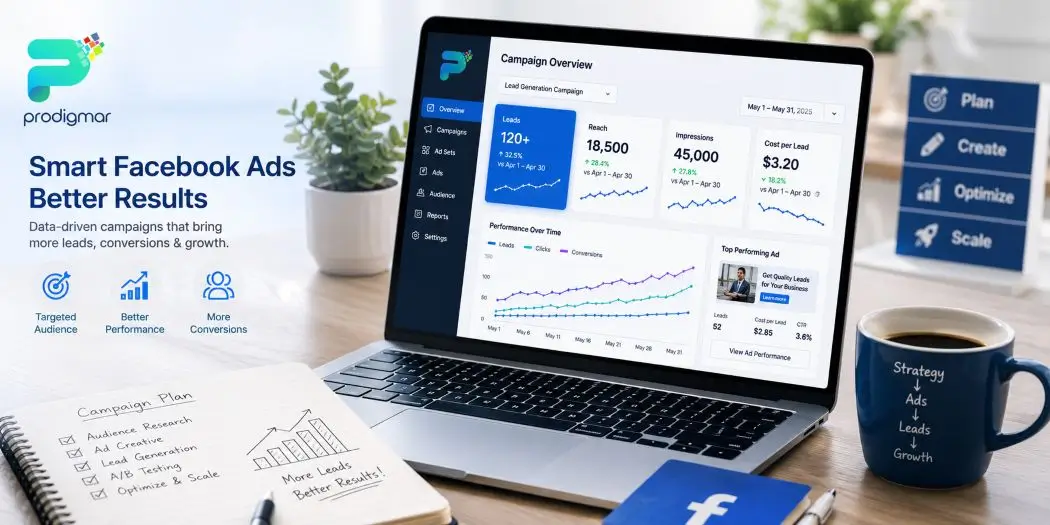
Facebook Ads can generate leads by combining the right campaign objective, precise audience targeting, a low-friction way to capture contact details (like Instant Forms or a landing page), and a fast follow-up system. Get all four right, and Meta hands you a steady stream of people who actually want to hear from you. Get one wrong, and you’re just paying to collect email addresses that go nowhere.
Most businesses fall into that second trap. They boost a post, turn on a “Leads” campaign, and wonder why the phone never rings. It’s not bad luck. It’s a missing process.
This guide breaks down exactly how to generate leads with Facebook Ads using a 10-step framework built from real campaign management, not theory. Here’s the promise: by the end, you’ll know how to set up a Meta lead generation campaign that brings in people worth talking to, not just names on a spreadsheet.
Meta’s Ads Manager gives you several campaign objectives, and picking the wrong one quietly wrecks your results before you’ve spent a dollar.
For lead generation, the Leads objective is built for exactly this job. It tells Meta’s algorithm to find people likely to fill out a form, not just click a link or watch a video.
Compare that to the Website Conversions objective, which optimises for a specific pixel event (like a form submission on your site), or Advantage+ campaigns, which let Meta’s AI handle audience and placement decisions automatically with less manual control.
| Objective | Best For | Data Needed | Typical Use Case |
|---|---|---|---|
| Leads | Instant Forms inside Facebook/Instagram | Minimal setup | Fast lead volume |
| Website Conversions | Landing page form fills | Pixel + Conversions API | Higher-quality leads |
| Advantage+ | Automated optimisation | Larger budgets, more data | Scaling proven offers |
Stop guessing and start growing with a proven approach.
No commitment. No credit card required. Limited slots available.
Get Your Free Social Media Strategy & Audit Today →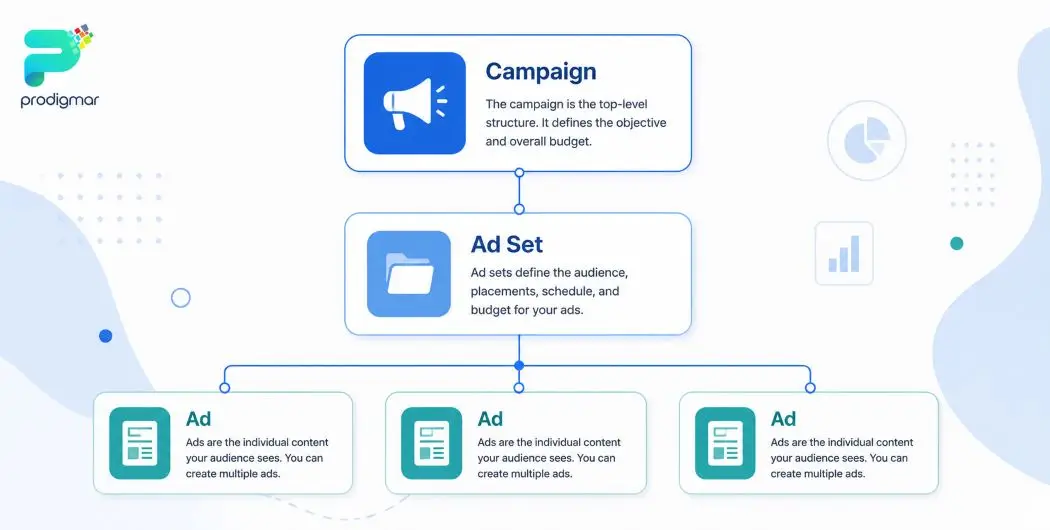
Once you’ve picked your objective, structure matters. Meta Ads Manager runs on three layers: Campaign, Ad Set, and Ad.
Think of it like a filing cabinet. The campaign is the drawer, the ad set is the folder, and the ads are the documents inside. Messy folders make everything harder to find — and harder to optimise.
A few setup basics that save you headaches later:
Small habit. Big payoff when you’re troubleshooting a campaign at 11 p.m.
This is where most Facebook Ads campaigns quietly fail. Great creative aimed at the wrong audience is just an expensive way to entertain strangers.
Meta gives you three core targeting tools:
Custom Audiences — built from your existing customer list, website visitors, or people who’ve engaged with your Page. This is your warmest audience by far.
Lookalike Audiences — Meta studies your best customers and finds new people who share similar traits and behaviour. It’s one of the closest things to a shortcut in this business.
Interest and demographic targeting — useful for reaching cold audiences who don’t know you yet, but it needs tighter creative and offer testing since there’s no existing relationship to lean on.
The mistake to avoid: layering too many overlapping audiences into one campaign. That creates internal competition, where your own ad sets bid against each other. Segment audiences clearly instead.
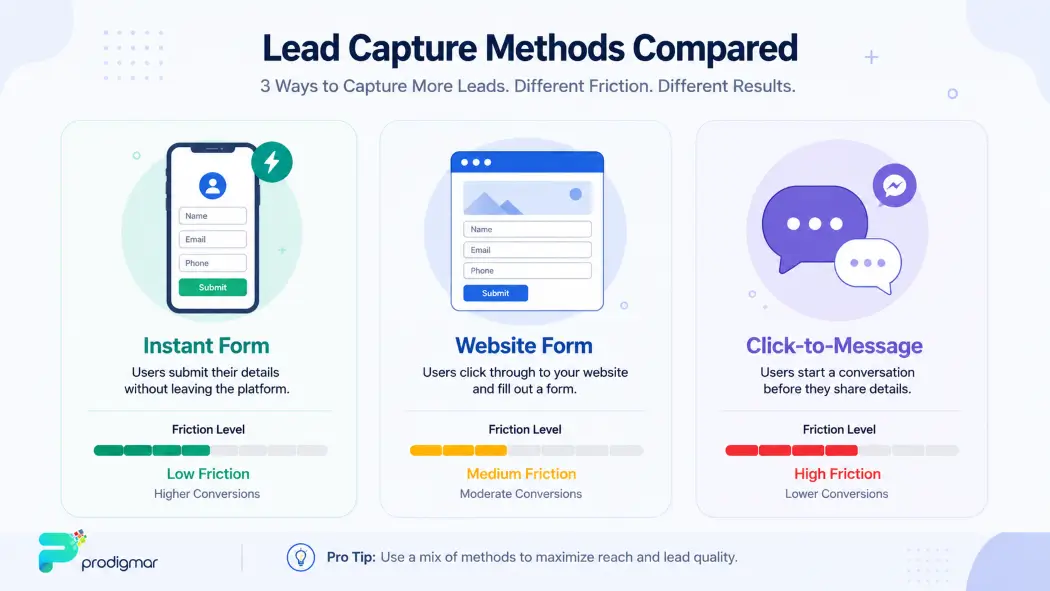
Meta supports several ways to actually capture a lead, and each one trades speed for quality differently.
| Method | Friction | Lead Quality | Best For |
|---|---|---|---|
| Instant Forms | Very low (fills in-app) | Higher volume, lower average quality | Fast lead volume, broad offers |
| Website/Landing Page Forms | Medium to high | Generally higher intent | Service businesses, higher-value offers |
| Click-to-Message (Messenger/WhatsApp) | Low, conversational | Good for pre-qualifying | Local services, appointment-based businesses |
Instant Forms load instantly inside Facebook or Instagram, pre-filled with the user’s info. Great for volume, but easier for someone to submit without much thought.
Website conversions send people to your landing page instead. More friction, but you get better control over qualifying questions and tracking.
Click-to-message ads open a Messenger or WhatsApp chat directly. If your business relies on conversation to qualify a lead — think home services, consultations, or bookings — this format often earns higher-quality conversations than a static form ever could.
There’s no universally “best” option here. Match the format to what your sales process can actually handle.
Here’s the part everyone wants to skip and shouldn’t: tracking infrastructure.
The Meta Pixel is a small snippet of code on your website that reports back which actions people take after clicking your ad — form submits, page views, purchases. Without it, Meta is optimising half-blind.
Since Apple’s iOS 14 privacy changes limited how much browser-based tracking Meta can see, Meta introduced the Conversions API as a server-side backup. It sends conversion data directly from your server to Meta, filling in gaps that browser tracking now misses.
Set up both, and map your lead form submission as a tracked conversion event. This single step often does more for campaign performance than any creative tweak.
Ads and CRM integration only work if someone's actually watching the pipeline daily. If your team is stretched thin, Prodigmar's social media marketing services can manage the full funnel - ads, forms, and follow-up systems - so leads don't go cold waiting on an internal process.
Prodigmar's Social Media mMrketing Services →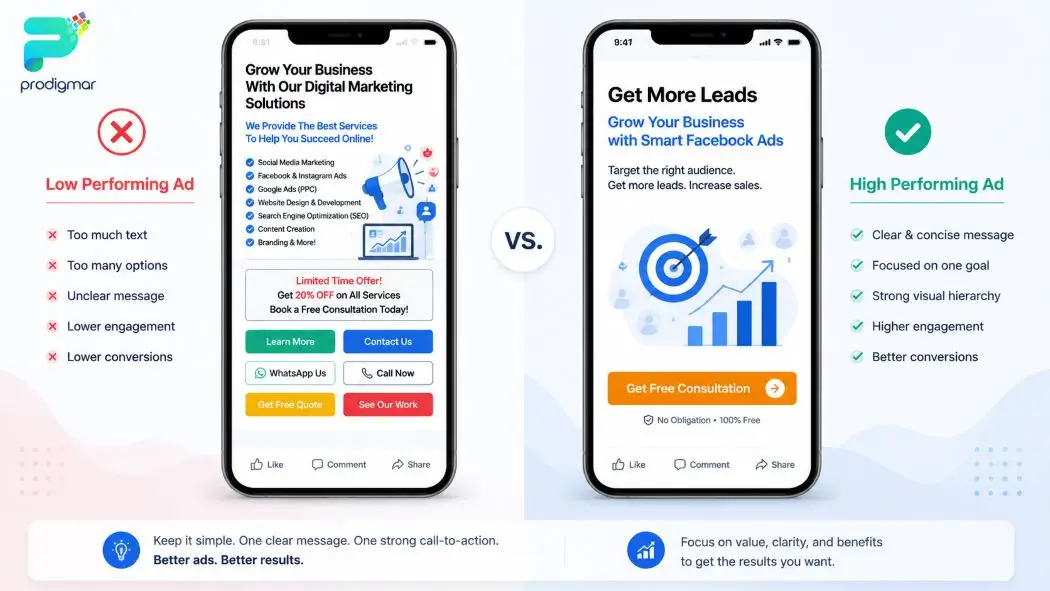
People scroll fast. Your ad has about two seconds to earn a second look, and most ads don’t get one.
A few principles that consistently work:
Humour helps here too — a slightly self-aware, human tone tends to outperform corporate-speak, especially on a platform built for scrolling between memes and vacation photos.
A short form gets more submissions. A smart form gets more submissions worth following up on. Both statements are true, and the trick is balancing them.
Add qualifying questions to your Instant Form — budget range, timeline, or business size, depending on what actually matters to your sales team. Use conditional logic where possible, so only relevant follow-up questions appear based on earlier answers.
Yes, this slightly increases friction. It also filters out people who were never going to buy, which saves your sales team from chasing dead ends.
None of these realities mean the underlying tactic is useless. They mean the tactic only works under specific conditions – and skipping that nuance is exactly how businesses end up disappointed by a strategy that was never wrong, just misapplied.
Not everyone converts on the first pass, and that’s fine — that’s what retargeting is for.
Build retargeting audiences from:
For testing, change one variable at a time — creative, audience, or placement — so you actually know what moved the needle. Watch early signals like CTR and cost per lead (CPL) closely in the first few days, but give the algorithm enough data before killing an ad set too early.
None of these realities mean the underlying tactic is useless. They mean the tactic only works under specific conditions – and skipping that nuance is exactly how businesses end up disappointed by a strategy that was never wrong, just misapplied.
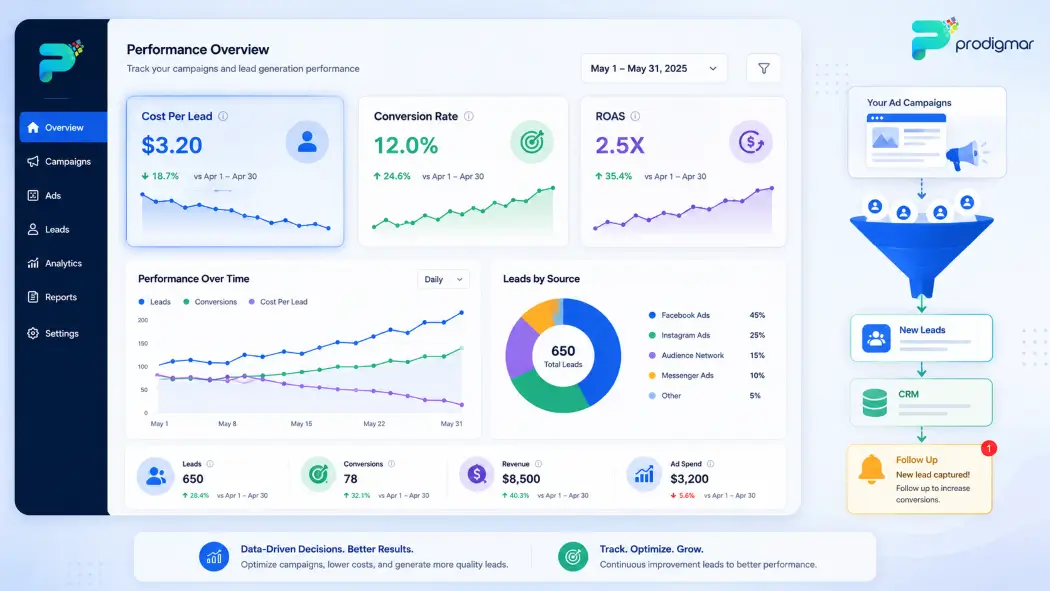
This step decides whether your ad spend turns into revenue or just sits in a spreadsheet nobody opens.
Connect your Facebook lead forms directly to your CRM, either through a native integration or a tool like Zapier or Make. The goal: the moment someone submits a form, your sales team gets notified instantly.
Speed matters more than most people realise. A widely cited Harvard Business Review study, which analysed over 2,000 companies’ response times to inbound leads, found that businesses contacting a lead within an hour were nearly seven times more likely to have a meaningful conversation with them than those who waited even one hour longer — and dramatically more likely than businesses that waited a full day.
Translation: a great ad with a slow follow-up is just an expensive way to warm up your competitor’s pipeline.
None of these realities mean the underlying tactic is useless. They mean the tactic only works under specific conditions – and skipping that nuance is exactly how businesses end up disappointed by a strategy that was never wrong, just misapplied.
Vanity metrics feel good. Profit metrics pay the bills. Know the difference.
Focus on:
| Metric | What It Tells You |
|---|---|
| Cost Per Lead (CPL) | How much you're paying to acquire one lead |
| Conversion Rate | Percentage of leads that turn into customers |
| Lead-to-Customer Rate | Real business impact, not just form fills |
| Return on Ad Spend (ROAS) | Revenue generated relative to spend (most useful once sales cycles close) |
For context, benchmark data from WordStream and LocaliQ’s advertiser research puts average Facebook Ads cost per lead across industries at roughly $27, though this ranges anywhere from around $3 in low-competition sectors to over $75 in fields like dental and legal services. Use these numbers as a compass, not a rulebook — your own break-even cost per lead, based on your close rate and customer value, matters far more than any industry average.
When scaling budget, increase gradually. A sudden jump can reset Meta’s learning phase, sending your campaign back to square one right when it was hitting its stride.
Generating leads with Facebook Ads isn’t about throwing money at the algorithm and hoping. It’s a process: the right objective, sharp targeting, a lead form that matches your sales capacity, clean tracking, and fast follow-up.
Nail these 10 steps, and Facebook Ads stops being a guessing game and starts becoming one of your most predictable lead sources.
If you’d rather have specialists run this process for you – from campaign setup to CRM-integrated follow-up – Prodigmar’s Facebook Ads services are built to do exactly that. Explore our social media marketing services for a broader look at how we manage full-funnel campaigns across platforms.
You don’t need more likes - you need results.
Let’s build a system that generates leads, not just impressions.
Book Your Free Strategy Call Now →Click to chat
No spam. No commitment. Just real insights.
We’ll contact you on WhatsApp about your audit. No commitment required.
No spam. No commitment. Just real insights.
We’ll contact you on WhatsApp about your audit. No commitment required.