
Small Business Website Design & Management Made Simple | Prodigmar


A small business website does far more than simply exist online; it communicates when you’re unavailable, reassures hesitant visitors, and gently nudges them toward action without a single word. Visitors form impressions almost instantly. Design influences perception, while management ensures consistent performance.
Too often, businesses launch a website with excitement but let it drift into neglect. Updates fall behind, pages start to feel outdated, and load times stretch longer than visitors are willing to wait. Eventually, the site underperforms—not because it failed, but because it wasn’t actively maintained.
A strong website tells a different story. It loads quickly, remains secure, and adapts as customer expectations evolve. Gradually, it transforms into a reliable growth engine rather than a passive digital asset.
This guide presents website design and management in plain, actionable terms. No jargon, no theory without application—just practical insight that shows how small businesses can create websites that attract visitors, convert leads, and grow steadily.
What Goes Into Small Business Website Design and Ongoing Management?
Strategic Planning: Layout, User Flow, and Information Structure
Everything begins with clarity.
Strategic planning determines how visitors move through your site. Pages shouldn’t compete for attention. They should guide it.
Good information structure feels invisible. Menus make sense instantly. Important pages surface naturally. Users don’t pause to think where to click next.
For example, a service-based business benefits from direct navigation. Services. About. Contact. No distractions. No guesswork.
This planning phase also aligns design with business goals. Lead generation. Bookings. Sales. Every layout choice should support a clear outcome.
Building the Website: Platform Setup, Design, and Content Development

Once the structure is defined, execution takes over.
This phase includes choosing the right platform, configuring the design, and creating content that resonates. Design isn’t decoration here. It’s communication.
Typography affects readability. Spacing affects focus. Color affects emotion.
Content matters just as much. Headlines should pull readers in. Paragraphs should feel easy to scan. Visuals should reinforce the message rather than steal attention.
A well-built site balances creativity with stability. That balance allows it to scale without breaking under pressure.
Businesses investing in professional website design often see better engagement and clearer conversion paths
Ongoing Website Management: Updates, Security, and Performance Care
Launching a website isn’t the finish line. It’s the starting point.
Day-to-day management keeps everything running smoothly. Software updates close security gaps. Backups protect data. Performance checks keep pages fast.
Small issues grow when ignored. Broken forms lose leads. Expired plugins invite vulnerabilities. Slow pages frustrate visitors.
Regular website maintenance prevents these problems quietly and consistently
Continuous Optimization: Improving Design, Content, and Conversions Over Time
The best websites evolve.
Analytics reveal how visitors behave. Heatmaps show friction points. Search data highlights content gaps.
Small improvements compound. A clearer CTA. Faster load time. Better page hierarchy.
Over time, optimization turns a functional website into a high-performing one.
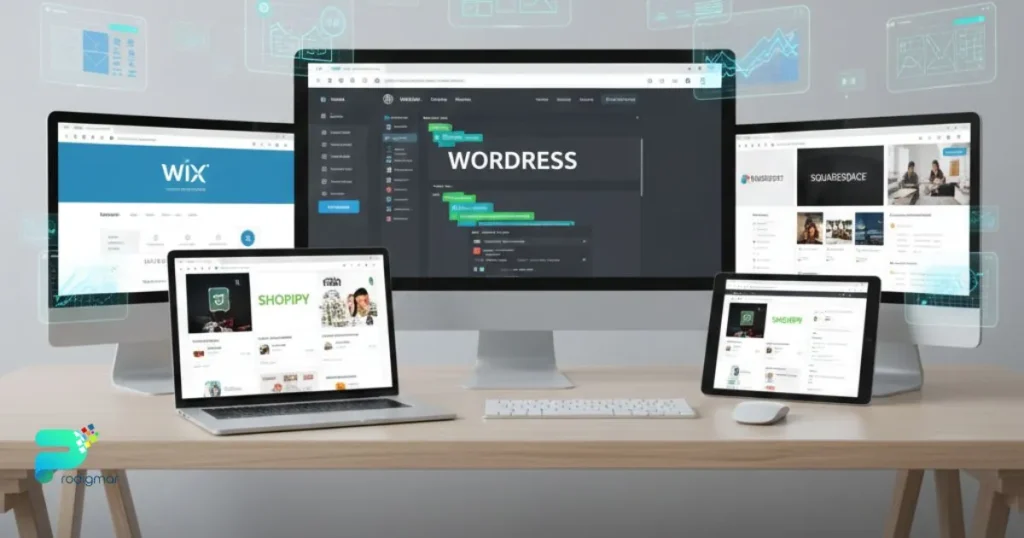
WordPress powers a large portion of the web for a reason. Flexibility sits at its core.
Key WordPress Features for Small Business Websites
WordPress offers full control. Thousands of themes. A massive plugin ecosystem. Strong SEO foundations.
It supports blogs, service sites, and complex business platforms. Content ownership remains entirely yours.
Learn more at https://wordpress.org
WordPress Pricing: What to Expect
The software itself is free. Costs depend on hosting, premium themes, and plugins. This flexibility suits businesses that plan to grow.
Why WordPress Works Well for Small Businesses
WordPress scales gracefully. Customization doesn’t feel restrictive. Long-term growth stays realistic.
Wix focuses on speed and simplicity.
Website Design Features
Drag-and-drop editing. Pre-designed templates. Built-in hosting. Everything feels approachable.
Visit https://www.wix.com
Wix Pricing Plans Explained
Subscription-based pricing covers hosting and features. Costs increase as functionality expands.
What Makes Wix Easy to Use
Technical barriers stay low. Websites go live quickly without deep setup.
HubSpot blends website creation with marketing tools.
Website Builder Pricing Overview
The website builder is free. Advanced CRM, automation, and analytics come with paid plans.
Explore at https://www.hubspot.com
Why HubSpot Appeals to Marketing-Driven Businesses
Integration stands out. Websites connect directly to email marketing, lead tracking, and CRM systems
👉 https://prodigmar.com/email-marketing/
Squarespace prioritizes aesthetics and simplicity.
Design and Website Features
Elegant templates. Strong visual consistency. Built-in blogging and portfolio tools.
See https://www.squarespace.com
Squarespace Pricing Structure
Monthly plans include hosting, design, and support. Pricing stays predictable.
Why Squarespace Is Popular for Visual Brands
Polished design comes standard. Branding feels effortless.
Shopify leads the eCommerce space.
Features for Small Business eCommerce
Product management. Secure checkout. Inventory control. App marketplace.
Learn more at https://www.shopify.com
Pricing Plans Explained
Monthly subscriptions vary by feature set. Transaction fees apply depending on payment options.
Why Shopify Is Ideal for Selling Online
Selling feels smooth. Scaling feels manageable. Performance stays reliable.
Mistakes rarely look dramatic. They accumulate quietly. Over time, they hurt trust and visibility.
Ignoring Mobile Experience and Responsive Design
Mobile traffic dominates modern browsing.
If your site doesn’t adapt smoothly, visitors leave fast. Tiny text. Awkward layouts. Slow loads.
Mobile optimization isn’t optional anymore. It’s expected.
Weak or Unclear Calls-to-Action That Hurt Conversions
Visitors need direction.
Without clear CTAs, interest fades. Buttons should stand out. Language should feel natural. Actions should feel obvious.
Strong CTAs guide behavior without pressure.
Poor Navigation and Confusing Website Structure
Confusion kills engagement.
Overloaded menus. Inconsistent labeling. Buried information.
Clear navigation creates confidence. Confidence increases conversions
Neglecting Website Maintenance and Security Updates
Outdated websites feel unreliable.
Security gaps invite trouble. Broken links erode trust. Slow pages damage rankings.
Routine maintenance protects your digital reputation.
Missing Local SEO Signals That Limit Visibility
Local visibility drives qualified traffic.
Incomplete contact details. Missing location pages. Weak keyword signals.
Strong search engine optimization ensures the right people find you at the right time
👉 https://prodigmar.com/search-engine-optimization/
Your website should work as hard as you do.
Design shapes how visitors feel. Management ensures everything performs as expected. Together, they form the foundation of online success.
When structure feels clear, performance stays strong, and content speaks directly to your audience, your website stops being a cost. It becomes an asset.
Quietly effective. Consistently reliable.
That’s how small business websites win.
Frequently Ask Questions
How long does it take to launch a small business website?
Most small business websites can be launched in 2–6 weeks, depending on design complexity and content readiness.
What website management tasks should I handle monthly?
Can I switch from a website builder to a CRM-integrated platform later?
Do I need an eCommerce setup for quotes and invoices?
How can I reduce website maintenance time if I’m a team of one?